End Result
Able to send out an account based on Student not for the family.
Method
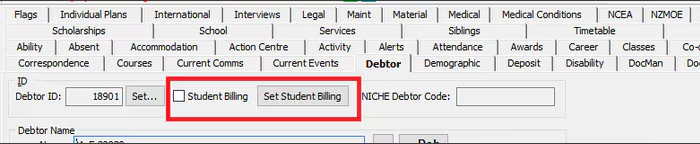
- In Current Student Maintenance > Debtor Tab select 'Set Student Billing'
2. Go to Debtors > Create New Debtor
Use Parents ID and select Student Billing on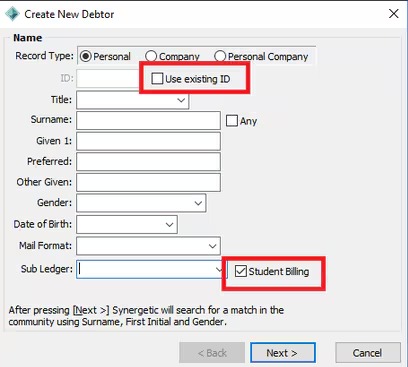
3. Set up Debtor Charges as usual ie. Statement Group, Auto Tuition etc
Considerations
Consider which billing style is best for your school and potential to use different billing styles for different family circumstances
- In student billing mode, accounts are sent out for each individual student.
- In family billing mode, a single statement is sent out for all students in the family.
Was this article helpful?
That’s Great!
Thank you for your feedback
Sorry! We couldn't be helpful
Thank you for your feedback
Feedback sent
We appreciate your effort and will try to fix the article